

How to Deposit Money
1. DCOM CARDS

Deposit money to your DCOM account anytime, 24/7!
After depositing, simply send the funds through the DCOM App.
Enjoy seamless access to your money anytime. Easily deposit or withdraw at Yucho (JP Post Bank), Lawson, and Seven Bank ATMs nationwide—fast, convenient, and always within reach.

Automatically send money to receiver registered with DCOM’s Remittance Card—quick, seamless, and hassle-free.
Transfer funds anytime, 24/7, from Yucho, Lawson, and Seven Bank ATMs nationwide—no need to contact DCOM.
VIA

|
|
|
Deposit fee: ¥150 |
Deposit Fee: ¥250 |
VIA

|
|
|
Deposit Fees: |
Deposit Fee: ¥450 |
VIA

|
|
|
Deposit fee: ¥150 |
Deposit fee: ¥250 |
※ DEPOSIT VIA QR CODE AT SEVEN BANK ATMDeposit using your smartphone and the DCOM app! Deposit Fee: ¥150 |
|
2. DEPOSIT USING YOUR PERSONAL BANK ACCOUNT
※ TOP-UP FROM YOUR BANK ACCOUNT USING BANK DIRECT SERVICE
Link your personal bank account (JP Post Bank/Yucho, SMBC, MUFG etc.) and deposit directly into your DCOM account—no need to contact DCOM for confirmation. After depositing, simply access the DCOM App or Website to create a transaction request.
Deposit Fee: ¥150
Minimum Amount: ¥2,000/deposit
Additionally, DCOM allows you to withdraw funds from your DCOM account to your personal bank account.
Please note that withdrawals to an SMBC bank account are currently not supported.
Minimum Amount: ¥2,000/withdrawal
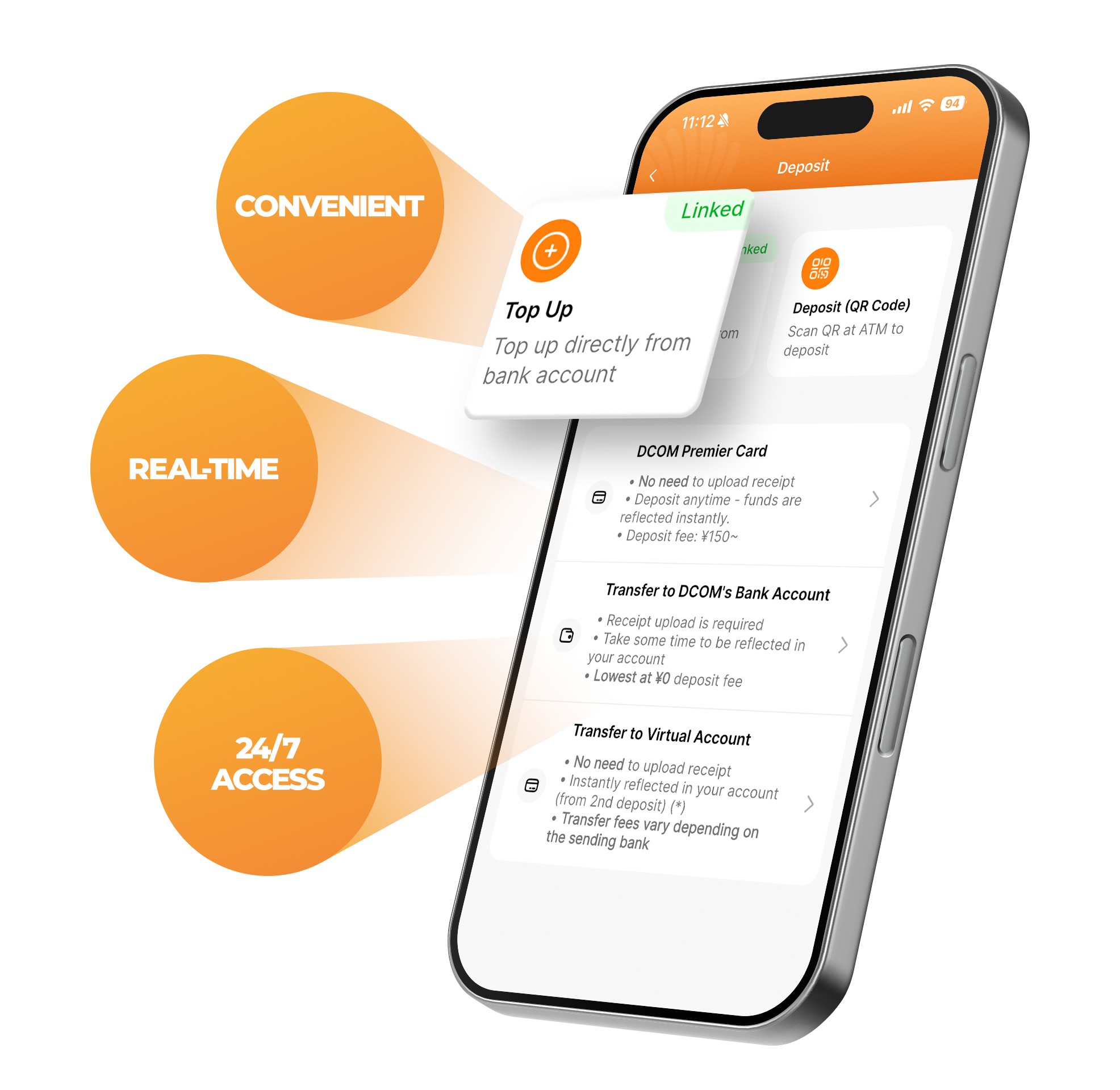
※ TRANSFER TO DCOM'S BANK ACCOUNT NUMBER
Number 記号: 00170-5-324560
(当座: 〇一九店 0324560)
Name: カ)ディコミュニケーションズ

Branch: 六本木支店 (ろっぽんぎ)
Account: 7501219 (普通)
Name: カ)ディコミュニケーションズ

Branch: 金沢支店 (かなざわ)
Account: 0165812 (普通)
Name: カ)ディコミュニケーションズ
- For bank transfers made to our Bank Accounts, make sure to keep the receipt/screenshot of the successful bank transfer and send it to us via the DCOM App for confirmation.
- After our staff has confirmed the bank transfer transaction, the money will be transferred to your DCOM Account.
※ TRANSFER TO VIRTUAL ACCOUNT
DCOM allows you to deposit funds into a designated PayPay Bank account. Simply transfer money from your personal bank account to your designated PayPay Bank account, and the funds will be credited to your DCOM account automatically—no need to submit a deposit receipt or contact DCOM. To deposit via designated PayPay Bank, you must first register a designated DCOM account- Step 1: Open the DCOM App, go to Account, then select Virtual Account
- Step 2: Tap Register and follow the on-screen instructions to create your designated DCOM account
- Step 3: Transfer funds from your OWN bank account to your designated PayPay Bank account.
Your deposit will be credited to your DCOM account instantly, with no deposit receipt submission required.